

Sportsdaq 2026 Guide & Cricket Auction Software Trends
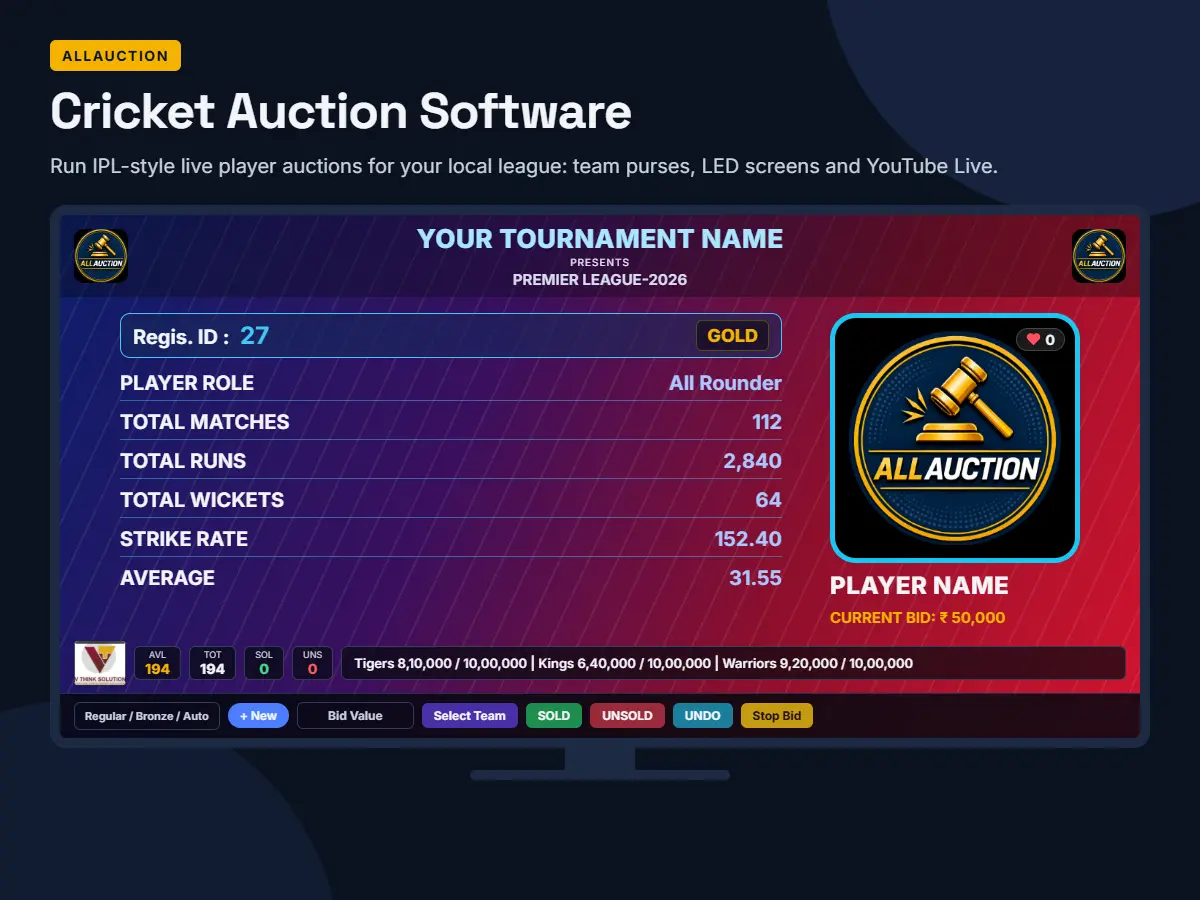
Sportsdaq 2026 is India's first sports business exchange, a three-day conference and exhibition at the Helipad Exhibition Centre, Gandhinagar, from 26 to 28 November 2026. Its sessions on sports technology, fan engagement, and sponsorship apply directly to local cricket leagues. Organisers can put those ideas to work with cricket auction software such as AllAuction, which runs live IPL-style player auctions with team purses, LED displays, and YouTube overlays.
What Is Sportsdaq 2026?
Sportsdaq is a sports business "confex," meaning a conference and an exhibition under one roof. It brings ministries, sports federations, investors, and technology companies together for policy talks, B2B (business-to-business) meetings, and partnership deals.
The 2026 theme is "PLAY IN INDIA: Building A Global Sporting Future, Amdavad 2030 to Olympics 2036." Ahmedabad will host the 2030 Commonwealth Games, and India is pursuing a bid for the 2036 Olympics.
Key parameters:
- Dates: 26–28 November 2026
- Venue: Helipad Exhibition Centre, Sector 17, Gandhinagar, Gujarat
- Format: conference sessions, exhibition floor, pre-arranged B2B and B2G (business-to-government) meetings
- Scale (organiser figures): 10+ ministries, 75+ federations, 100+ speakers, 200+ exhibitors
For cricket organisers, the most useful sessions sit on Day 2 and Day 3. "The Digital Future of Sports" covers technology at events, while the Tech Summit's "The Fan Is King" and "From Stadium Seats To Multiple Screens" cover fan engagement and screen-based revenue.
Those same ideas scale down to a local league. A live auction on a big screen, streamed to YouTube with sponsor logos, gives a district tournament the same fan pull that big events chase.
Cricket Auction Software: Comparison at a Glance
Most local tournaments run player auctions in one of four ways.
| Approach | Bid & Purse Tracking | Live Display & Streaming | Reports |
|---|---|---|---|
| Paper and whiteboard | Manual, error-prone | None | Handwritten notes |
| Excel or Google Sheets | Manual formulas | Screen share only | Manual export |
| AllAuction | Automatic bid validation, live purse balance | LED themes and YouTube Live ticker | PDF and Excel reports |
| Other cricket auction apps | Varies by app | Varies by app | Varies by app |
Software removes manual purse maths and gives fans something to watch; for a side-by-side of apps, see our best cricket auction apps in India 2026 comparison.
How to Run a Sportsdaq-Style Cricket Player Auction: Step-by-Step
A tech-driven player auction takes six steps, from setup to sponsor reporting.
Setup
1. Create your tournament. Open AllAuction and pick an auction type: Tournament Auction, IPL Auction, Automatic Player Allocation, or Dream Team. One account manages several tournaments, so seasonal leagues stay in one place.
2. Collect player registrations online. Share AllAuction's registration form to gather each player's photo, role, experience, and batting or bowling style. This replaces paper forms and WhatsApp photo chaos before auction day.
Customize
3. Generate player cards with AI. AllAuction's AI player image feature turns raw photos into professional profile visuals for screens and social posts. See how it works in our guide to the AI cricket auction platform and player card maker.
4. Set team purses and bid rules. Upload team logos, fix each team's budget, and choose bid increments. AllAuction validates every bid automatically, so no team can overspend its purse.
"The system records every bid, budget update, and player allocation the moment it happens, so organisers never reconcile a spreadsheet after the auction. That single source of truth is what keeps live events on time." — the Engineering and Infrastructure Team at V Think Solution
Publish
5. Run the auction live on screen and YouTube. Connect the LED display system to a projector or HD screen to show player profiles, bids, and budgets. Add the YouTube Live Auction Ticker so remote fans see bids with your sponsor branding, the same fan-reach idea Sportsdaq's Tech Summit discusses.
Track
6. Export reports for teams and sponsors. Download PDF and Excel reports of final squads and spending. Sponsors get proof of visibility, and teams get a clean record for the season.
Quick Launch Checklist
Use this list before your next auction:
- Pick your auction format: Tournament, IPL-style, Auto Allocation, or Dream Team
- Share the online player registration link at least one week ahead
- Create AI player cards for every registered player
- Fix team budgets and bid increments, then test with one dummy bid
- Book an LED screen or projector and set up the YouTube ticker
Frequently Asked Questions
What's the best cricket auction software in India?
The best cricket auction software depends on your league's size, budget, and need for live display features. AllAuction offers IPL-style bidding, LED screens, and YouTube overlays; compare it in AllAuction vs CricAuction and AllAuction vs CricSmart.
Can I run an IPL-style auction for a local tournament?
Yes, AllAuction's IPL Auction mode gives local leagues countdown timers, live bidding, player profiles, and bid history. It handles tournaments from 50 players up to 2,000 players.
How much does cricket auction software cost?
Prices vary by platform and plan, so check current rates before you book. AllAuction lists its plans with no setup fees and all features included explore price
Is Sportsdaq 2026 useful for grassroots cricket organisers?
Yes, mainly for its sports technology and fan engagement sessions on Day 2 and Day 3. Most Sportsdaq sessions target policy and investment, so local organisers should pick sessions selectively.
⚡ Organize Your Own Cricket Player Auction
Experience IPL-style live bidding screens, automated AI player cards, and transparent squad management on AllAuction.
Start Free Auction